
Introducing Qbrick Meet: live broadcasts from your browser, built into Live Manager
Live broadcasting has historically required a production rig. Encoder software like OBS or vMix. A hardware switcher. A producer who knows how to use them. That setup is the right call for studio events, but it’s a barrier for most other teams. Marketers running webinars, comms teams hosting town halls, training teams delivering live sessions to remote audiences. They want to go live without booking the AV team six weeks ahead.
This month we’re launching Qbrick Meet, the second way to send a feed into Qbrick Live Manager. No encoder, no install, no IT ticket. Open a browser, invite your speakers by secure link, and hit Go Live. Everything else runs the same way it always has on the Qbrick platform.
What Qbrick Meet does
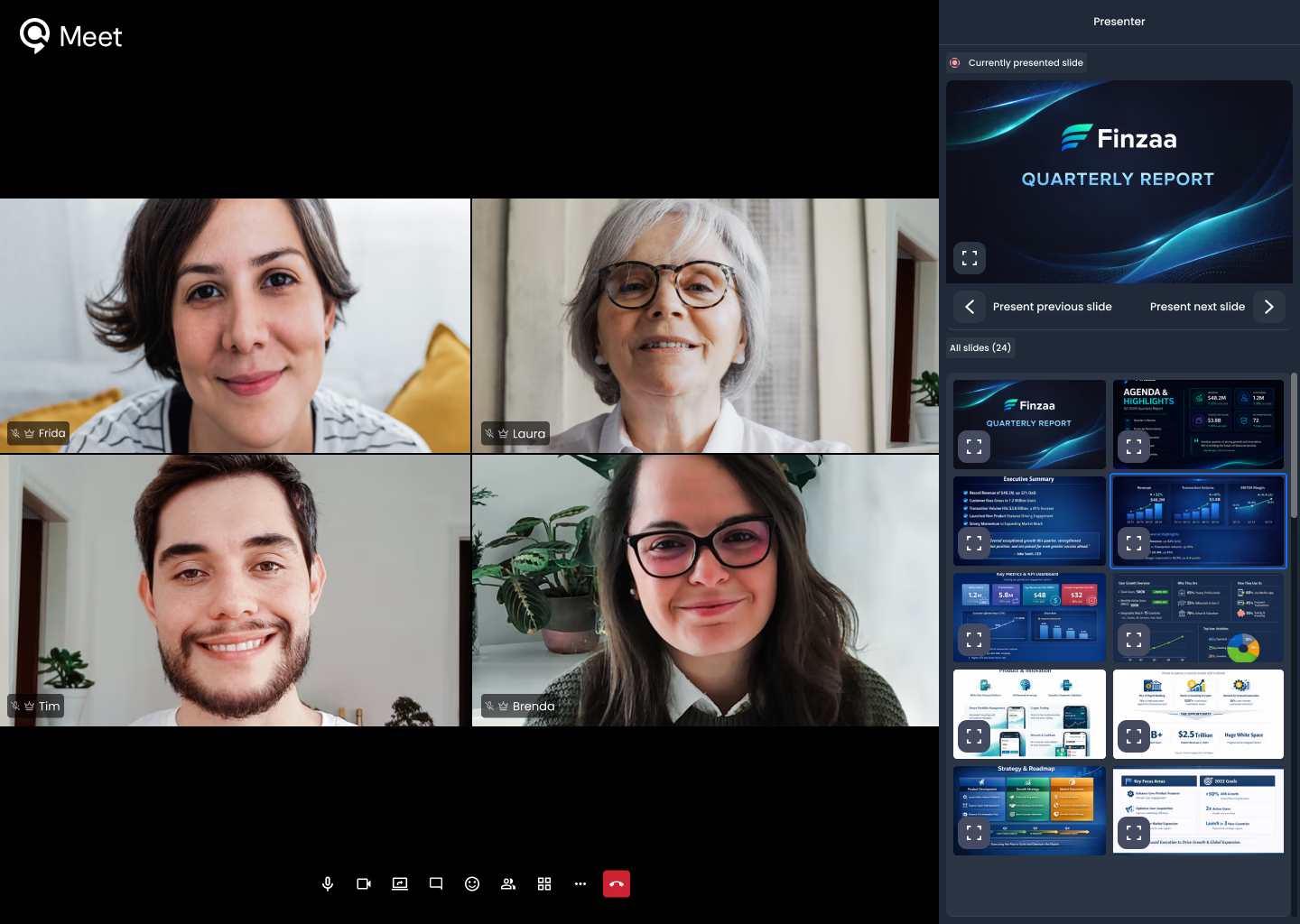
Qbrick Meet is a browser-based broadcasting tool built directly into Live Manager. It lets you produce a full live event using only a webcam and a modern browser. Hosts and speakers join from a laptop or desktop, share their screens or slides, take questions from the audience, and the broadcast lands on the same Qbrick player your viewers already know.
It’s designed for the live events that don’t need a control room. Webinars, all-hands meetings, town halls, customer briefings, training sessions, virtual panels, and product launches with remote contributors. If your speakers join from wherever they happen to be sitting, Qbrick Meet is built for you.
Going live in minutes
The workflow is built around speed. Here’s what happens from setting up an event to broadcasting it:
- Create the event in Live Manager. Set the title, channel, and thumbnail. Drop in a pre-cover and a post-cover. Choose your engagement preferences.
- Invite your speakers. Send unique, secure links to anyone who’ll be on the broadcast. Each link carries its own role: Operator, Speaker, Participant, or Viewer. Only operators need a Qbrick account to join.
- Join the green room. Speakers click their link and land in the browser. They see the same controls they’d see on any video call (camera, microphone, screen share). The operator sees the broadcast control panel.
- Hit Go Live. A single click puts the broadcast on the air. The audience watches it on your branded Qbrick player wherever you’ve embedded it: your website, an event page, your intranet, or a Qbrick Portal.
- Wrap and archive. End the broadcast. The recording is auto-archived as a VOD asset, ready to embed or share. You can also clip live moments to VOD while the event is still on air.
The whole journey, from creating the event to having an on-demand archive, lives in one place.
Roles for every contributor
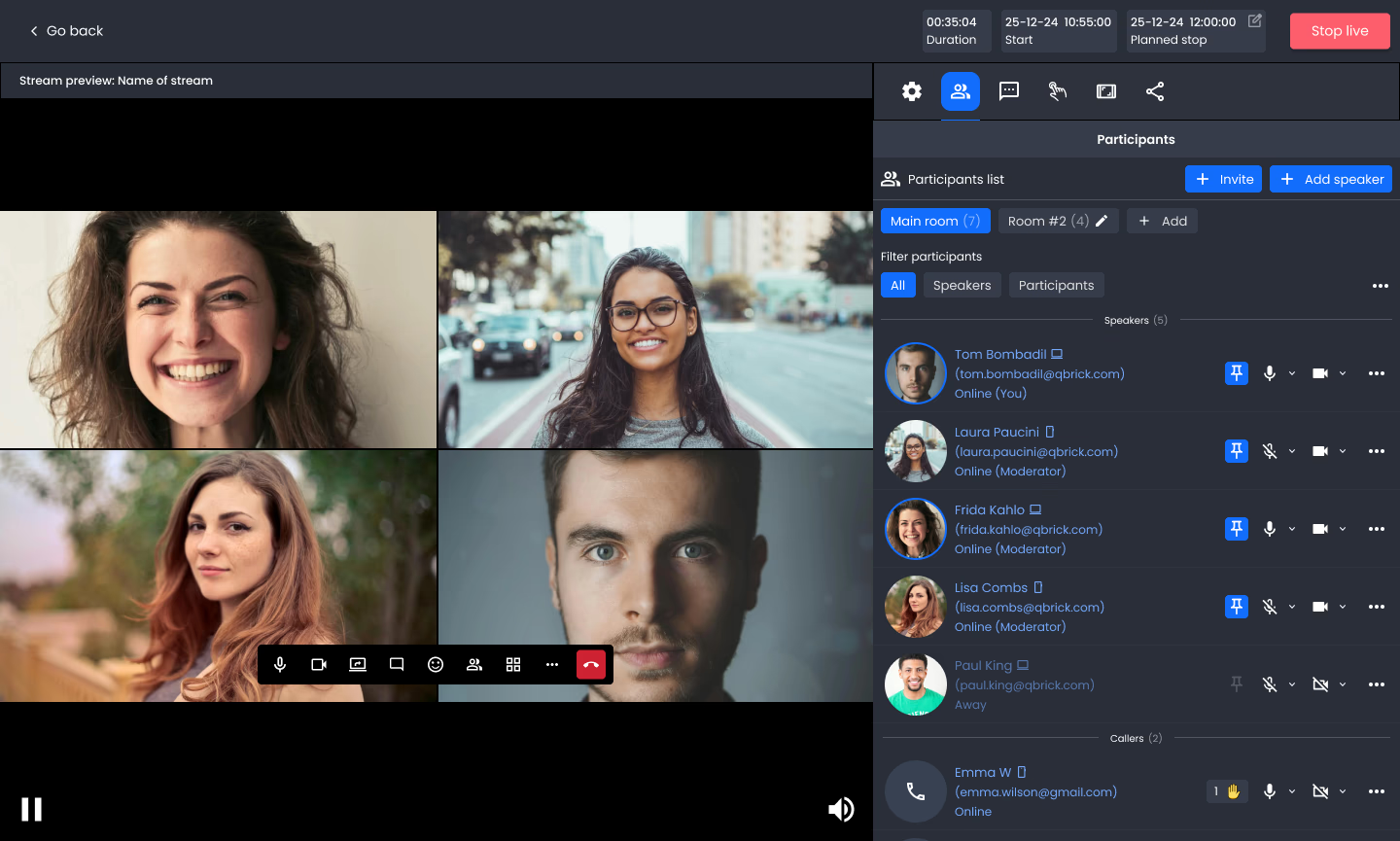
Different people in a live event need different levels of access. Qbrick Meet keeps that simple with four roles, each delivered via a secure link.
Operators run the show. They control the broadcast, manage the engagement panel, trigger Go Live, and end the event when it wraps. Operators are typically your producer or comms lead.
Speakers present. They appear in the broadcast, share their screen, run through their slides, and answer questions. They don’t need to touch the controls.
Participants contribute audio without appearing on camera. Useful for supporting voices on a panel, experts who join just to weigh in on specific questions or analysts/other who want to ask questions.
Viewers watch the broadcast on the regular Qbrick player on your event page. They engage through the player’s chat, Q&A and poll widgets (if you have these enabled), exactly as they would for any other Qbrick live event.
This means a producer, a CEO, a chief of staff, a sign-language interpreter, and a thousand internal viewers can all participate in the same broadcast, each with the right level of control.
Operator
The producer at the controls. They run the broadcast, direct what goes on air, and keep the event moving.
- Controls speakers, participants, and viewer access
- Cues slides, cameras, and on-screen content
- Moderator for all roles
Speakers
The hosts on camera. They drive the session and appear live throughout the event.
- Join via a unique, secure link
- Present slides and share their screen
- Speak freely for the full session
Participants
Invited contributors, analysts, experts, customers who join to add to the conversation.
- Join the meeting on a secure invite
- Raise your hand and ask questions when given the floor
Viewers
Your audience. They watch the broadcast on your event page. No login, no app, just a link.
- One-click access to the streamed version from any device
- Watch live, or watch the recording after the event
Engagement on both sides of the broadcast
Qbrick Meet inherits Live Manager’s audience-side engagement layer out of the box. Live Chat, moderated Q&A with voting, and Polls all work the way Qbrick customers already know.
What’s new with Qbrick Meet is the engagement layer inside the broadcast itself. The team running the event has a richer set of tools for keeping the meeting structured.
Presentations, built in. Operators can upload a slide deck directly into Qbrick Meet to open a presentation module inside the broadcast. Slides display alongside the speaker view so the audience and the rest of the team are always on the same page. Speakers can advance the slides themselves, jumping forward, back, or to any specific slide without handing control to anyone else.
Hands up, mics on demand. Participants don’t have an open mic by default. To speak or ask a question, they raise their hand and the Operator invites them in when the moment is right. That keeps the broadcast structured, especially for events with large internal audiences or external guests where you don’t want every connected mic active at once.
The result is a structured live event where the audience engages from the player, speakers control the visuals, and the operator decides who speaks when.
One platform, end to end
This is where Qbrick Meet matters most for existing customers. It isn’t a separate tool. It’s a new entry point into the Live Manager you already use.
That means:
- The same branded player delivers the broadcast.
- The same Portals can host the event page.
- The same analytics roll up live and on-demand viewing into one combined report.
- The same auto-archive turns the broadcast into a VOD asset the moment it ends.
- The same speech-to-text generates accurate captions and transcripts.
- The same security and compliance guarantees apply across every event.
For new customers, this means choosing Qbrick gives you the broadcasting method that fits each event without juggling separate tools. For existing customers, Qbrick Meet is a capability that turns on inside the platform you already trust.
Built for European enterprise
Like the rest of the Qbrick platform, Qbrick Meet is fully GDPR compliant. All data is processed securely according to current EU regulations & stored locally in our private data center. It’s built for organisations that take data sovereignty seriously.
Try it for yourself
Whether you’re considering Qbrick for the first time or you’re already running events on the platform, Qbrick Meet is ready for you to take a closer look.
Book a personalised tour of Qbrick Meet. A 30-minute walkthrough where we’ll show you how the workflow runs end-to-end with your team’s events in mind.
Already a Qbrick customer? Talk to your account manager and we’ll set up Qbrick Meet on your account.