Onboard faster.
Train smarter. Everything on one platform.
Turn documents into interactive, AI-powered courses in minutes. Offer them in any language, and see in real time who’s learning, who’s behind, and who’s at risk.
Turn documents into interactive learning instantly.
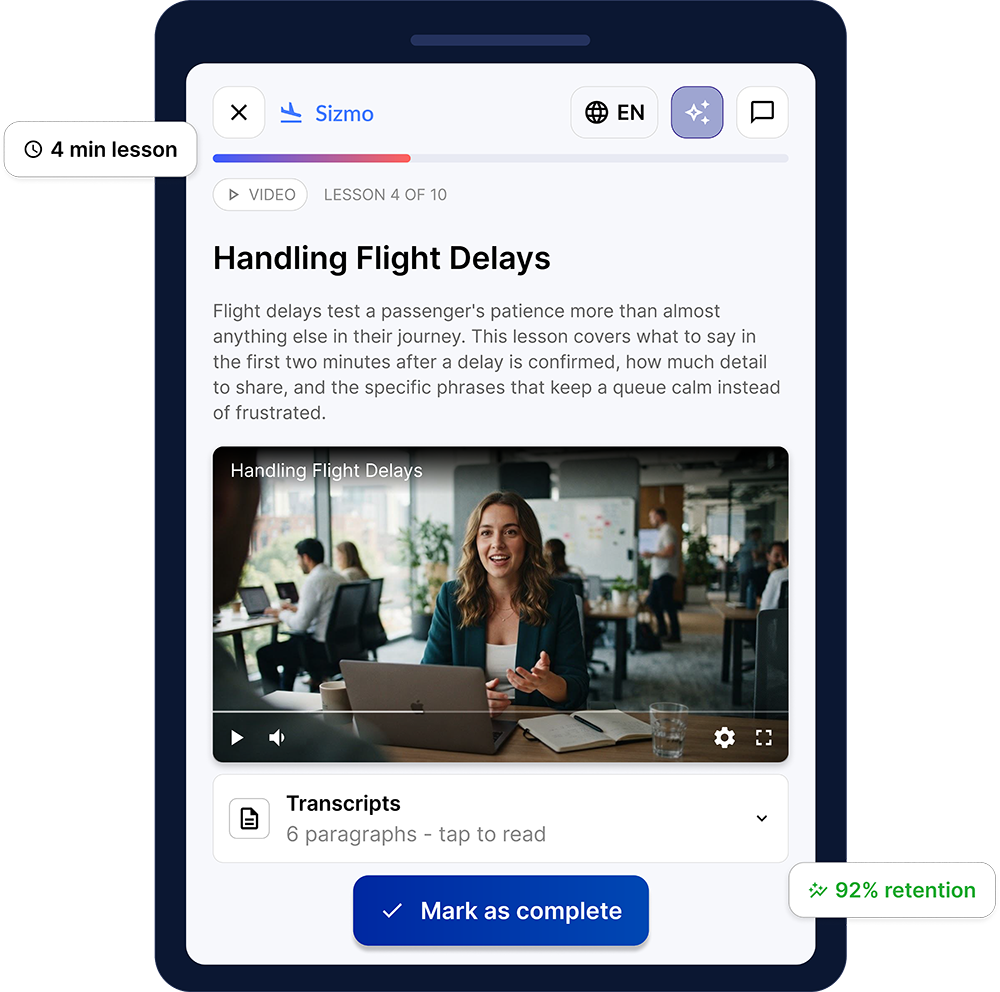
Qbrick Pulse turns the material you already have into interactive courses in minutes, delivers it in any language, and shows you exactly who’s learning, who’s falling behind, and who’s at risk — all from one platform. From onboarding and compliance to sales enablement and leadership development, it replaces a stack of tools and a training team with a single AI-native platform.
FULL WHITE-LABEL
Make Pulse truly yours
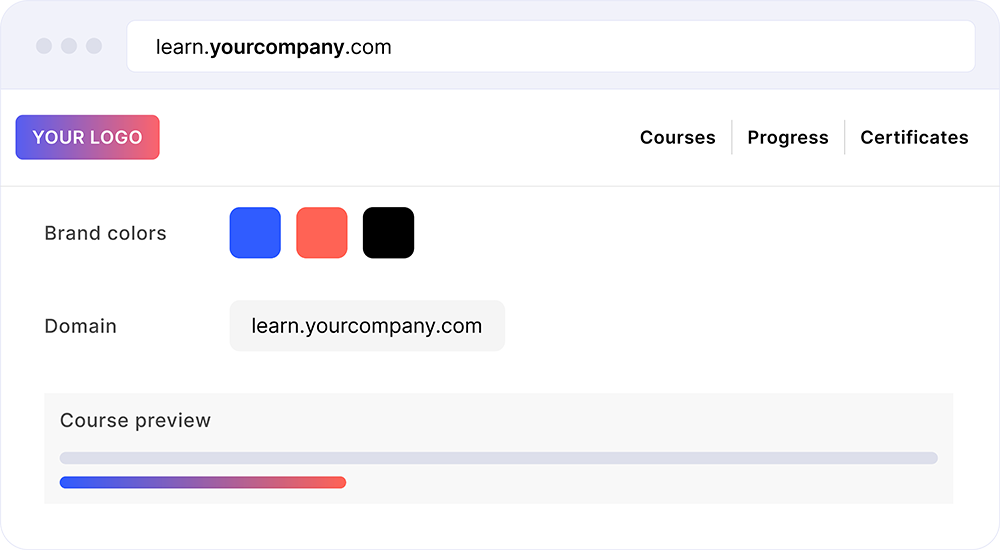
Create a learning platform that looks and feels like your own brand. Customize logos, fonts, colors, imagery and the overall experience to deliver seamless, branded learning for employees, customers and partners.
Your brand, not ours
Logo, colors and your own domain. Employees log in to what looks and feels like your company’s own learning platform.
WHO IT'S FOR
One platform, every training need.
New hires
Structured courses assign automatically on day one, with deadline tracking and completion reports built in.
Mandatory training
Certifications and policy updates roll out across every team, with automatic certificates and audit-ready records.
Customers & partners
Train people outside your organization easily. Courses arrive by invite, in their language, with completion feedback for you.
Upskilling
Build training programs tailored to roles and competencies. Assign to individuals or groups and track progress org-wide.
HOW IT WORKS
From content to impact in minutes.
Create, translate, test and publish AI-powered training that engages learners and drives results.
Upload your content
Upload any document, presentation or link.
AI creates your course
Our AI analyzes your content and generates a complete course in seconds.
Add AI avatar and voice
Choose or create an AI avatar, add natural voice and bring your training to life.
Translate, add quizzes and test learners
Localize your content in 30+ languages, add quizzes and tests and measure knowledge.
Measure and track performance
Publish instantly and get real-time insights on engagement, progress and results.
Save time
Create training in minutes, not weeks.
Go global
Translate and deliver in 30+ languages
Engage learners
Interactive content, AI avatars and quizzes that stick.
Drive results
Track performance and prove the impact of training.
PRODUCT DEMO
Watch Pulse turn a document into a live course.
Watch this walkthrough showing how easy course creation can be with Pulse AI.
INTEGRATIONS
Works with your existing tech stack
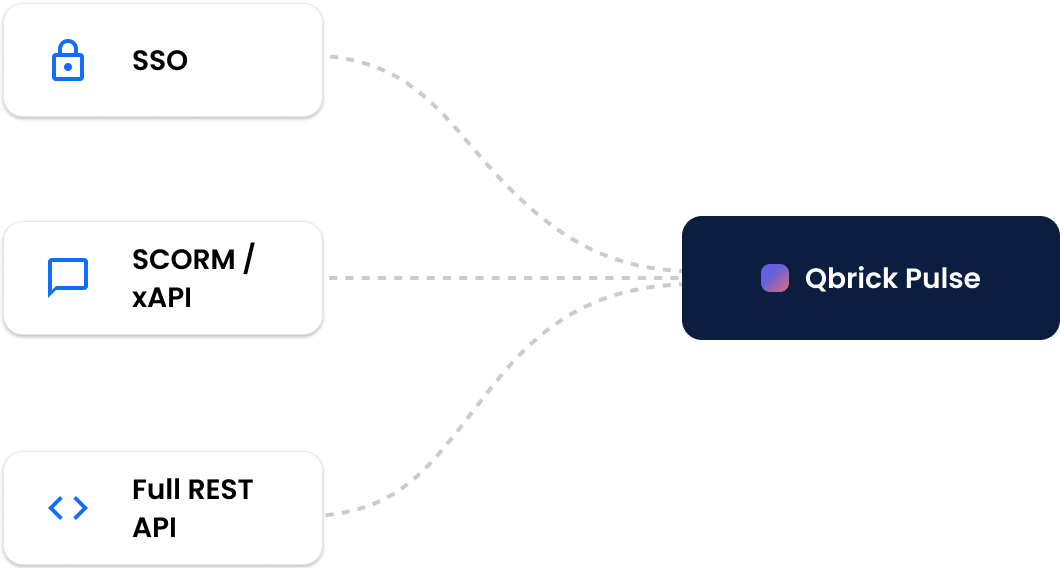
Pulse is built on SSO, SCORM/xAPI and a full REST API, and integrates smoothly into the platform your team already uses.
It’s a complete LMS in its own right — delivery, learning paths, certificates and audit-ready records included — so it can replace your current system, not just plug into it.
WHAT'S INCLUDED
Everything on one platform.
No integrations to stitch together, no separate LMS to manage (because Pulse is the LMS) – and no tools to keep in sync.
Employees retain knowledge better
HR spends dramatically less time creating courses
Training reaches every employee in their own language
Managers track real learning progress, not just completion
INTERACTIVE COURSE MODULES
Learning people actually engage with
Go beyond static documents and videos. Build interactive learning experiences with quizzes, scenarios, maps, comparisons and other engaging modules that increase participation, improve knowledge retention and keep learners motivated from start to finish.
Quiz
Scenario
Map
Comparison
CREATION
AI course generation
A full course, ready in minutes — outlines, scripts, quiz questions and AI-avatar video from a single prompt.
TRANSLATION
Translate to any language
One click translates a full course, including AI-avatar videos with localized narration for every language.
ANALYTICS
Know who's behind, before it's a problem
Org-wide dashboards show in real time who’s done, who’s behind, and who’s at risk of falling behind.
RECOGNITION
Certificates
Issued automatically on completion. Every certificate is logged and available in your registry.
STRUCTURE
Learning paths
Organize multiple courses into structured programs. Set deadlines and assign to groups or individuals.
DELIVERY
Professional video platform
Powered by Qbrick’s video platform. Reliable, high-quality playback on every device.
BUILT DIFFERENT
Built for learning that actually works.
The real differentiator isn’t just speed — it’s that learners actually learn.
Interactive learning
Learning in any language
Faster time to proficiency
Ask Pulse
Continuous assessment
Better retention
Higher completion rates
Personalized learning
Pulse doesn’t just create courses faster. It helps people learn better.
GDPR COMPLIANT
PRIVATE & SECURE
CERTIFIED ECO FRIENDLY
FAQ
Frequently asked questions
About Qbrick Pulse and Qbrick’s Education solutions.
What languages are supported?
Right now, we have 16 languages available in the platform (including all Nordic languages). We can add support for new languages at your request.
Is Qbrick Pulse available on mobile?
Yes, Qbrick Pulse is available on mobile.
Can I upload existing course material into the platform?
Yes. There are several ways to create courses. You can create courses with AI, using prompts, PDFs and URLs. You can also create courses manually using existing material.
What type of learning tools can I use besides text and video in my courses?
You can use any of the following learning tools in your courses: Video, AI video, interactive video, quizzes, questions and text.
BOOK A DEMO
Ready to run Pulse in your organisation?
Get a live demo of the platform. We’ll show you exactly how it works, and how fast you could be live.