A meeting system with the full power of a broadcast platform underneath
Qbrick Meet runs inside the same platform you already use for your live events. Structured meetings, remote speakers, and a broadcast-quality stream to any audience without leaving the browser.
HOW IT WORKS
From setup to live in four steps
Plan your event, invite your audience, automate the details, and go live. All from one platform.
1
Plan and set up your event
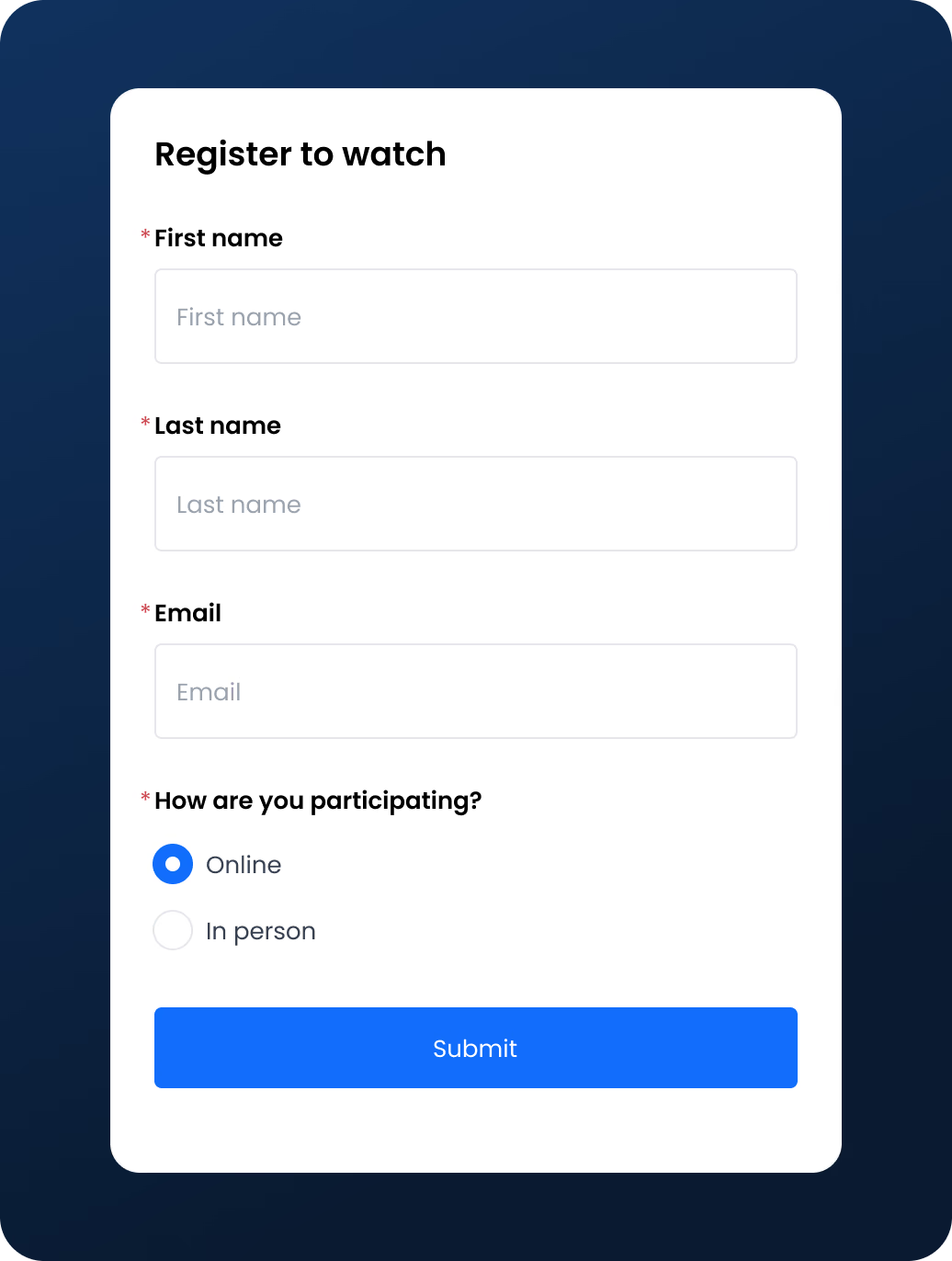
Create an event page and build your registration form.
2
Invite your people
Send speakers their unique join links, open registration for participants, and publish your event page for viewers.
3
Automate your communications
Confirmation emails, reminders, and updates go out automatically to the right people at the right time.
4
Go live with confidence
When it’s time, your operator starts the broadcast and your audience watches on any device.
BUILT FOR STRUCTURED EVENTS
Four roles. One platform.
Every participant gets the right access for their part in the event. No confusion, no accidental overreach.
Operator
The producer at the controls. They run the broadcast, direct what goes on air, and keep the event moving.
Controls speakers, participants, and viewer access
Cues slides, cameras, and on-screen content
Moderator for all roles
Speakers
The hosts on camera. They drive the session and appear live throughout the event.
Join via a unique, secure link
Present slides and share their screen
Speak freely for the full session
Participants
Invited contributors, analysts, experts, customers who join to add to the conversation.
Join the meeting on a secure invite
Raise your hand and ask questions when given the floor
Viewers
Your audience. They watch the broadcast on your event page. No login, no app, just a link.
One-click access to the streamed version from any device
Watch live, or watch the recording after the event
PRESENT
One deck. Every screen.
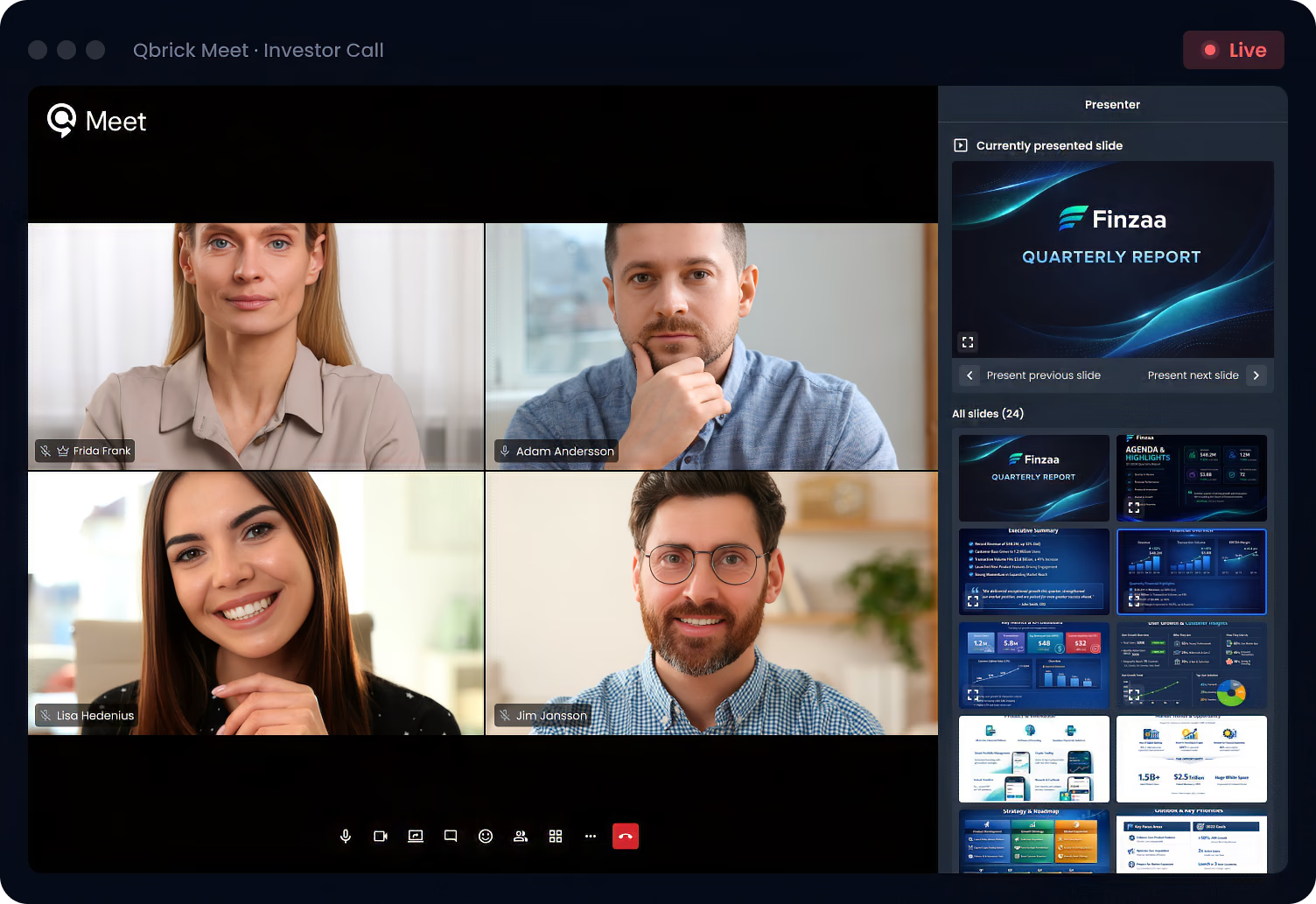
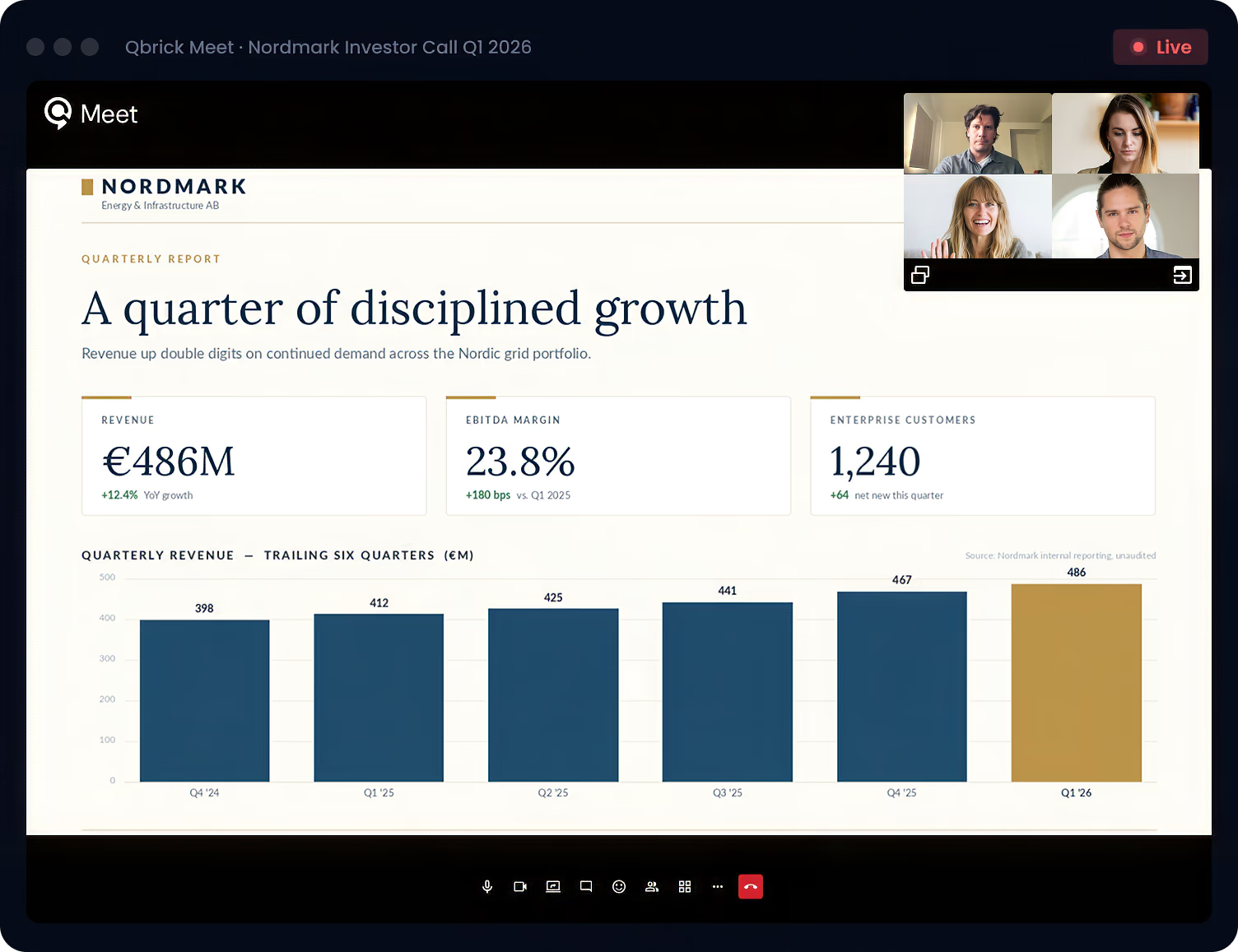
Share slides from a dedicated presentation module. Not a screen-share window. Your deck streams to everyone in the meeting and to viewers on the player at the same time, with your speakers visible alongside.
PRESENTATION MODULE
Slides front and centre
The dedicated presentation module shows the speaker’s slides to everyone in the session and on the live stream at the same time.
SPEAKERS IN VIEW
Hosts always on-screen
Up to six speakers visible at once, with an indicator showing who’s currently speaking.
OPERATOR IN LIVE MANAGER
Control without stealing the stage
Your operator runs the broadcast from a separate control view, cueing content and admitting questions.
FEATURES
Everything a professional broadcast needs, built in
No extra apps. No extra setup. All the tools for a professional live event, already wired up.
Invite and manage speakers
Each participant gets a unique, secure link. One click and they’re in. You control who is live at any time.
Browser-based, nothing to install
Run entirely from the browser for you and for your speakers. No encoding software, no stream keys, no workarounds.
Presentation sharing
Speakers share slides in a dedicated module, visible to everyone in the meeting and on the live stream at the same time.
Structured Q&A from invited contributors
Participants raise their hand when they have a question. Your operator decides who goes live. Ordered and on-record, not a free-for-all.
Registration & audience
A complete online event package
Control your audience from the first touchpoint. Build custom registration forms, automate your event emails, and decide exactly who gets access.
Registration confirmation
Sent automatically when someone signs up
Event update email
Push changes or new info to all registrants
Reminder emails
Remind registrants of the event start time
USE CASES
Built for professional events of every kind
From quarterly earnings calls to company-wide training. Qbrick Meet handles the broadcast.
Invite internal speakers, give analysts a structured way to submit and ask questions, and control registration access. Everything a publicly listed company needs for professional Q&A sessions.
Deliver training sessions and internal communications to employees across locations. Bring in multiple presenters, share materials, and broadcast to your organization.
Run multi-speaker panels with participants from anywhere. Manage who is live, share presentations, and keep the session running from a single interface.
FAQ
Frequently asked questions
About Qbrick Meet and Qbrick’s live solutions
Do participants need to install anything?
No, everything runs in the browser, both for the host and for speakers joining via link.
What are the technical requirements?
A modern browser (Chrome/Edge recommended), a stable internet connection, a webcam and microphone. No special hardware needed.
Where do external viewers watch?
Through the Qbrick player, which can be embedded on any webpage or accessed via a direct link.
Are the reminder emails sent automatically?
Yes, you set them up once and they trigger automatically based on event timing.
Where are forms embedded?
The registration form can be shared via a dedicated event page, or displayed as an overlay on any Qbrick video, including your meeting stream.
Book A Demo
Ready to run your next live event or meeting?
See Qbrick Meet running a real session and how your team would use it for your next broadcast.